Intuitive Area Selection & High-DPI Support
Capture exactly what you see. Simply drag your mouse to select any capture area. KIKI SNAP ensures pixel-perfect accuracy even on Windows displays with custom scaling (125%, 150%, etc.).
Seamlessly automate screenshots and PDF generation for various viewer applications on Windows.
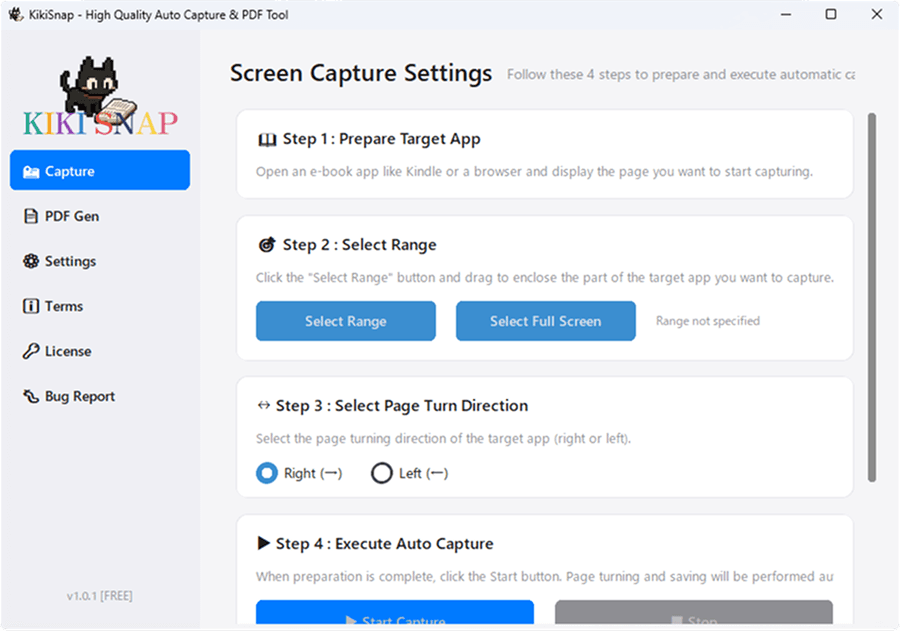
Capture exactly what you see. Simply drag your mouse to select any capture area. KIKI SNAP ensures pixel-perfect accuracy even on Windows displays with custom scaling (125%, 150%, etc.).
Set it, forget it. The tool automatically detects the end of the content by recognizing duplicate pages and stops the process. Supports both right-to-left (Manga) and left-to-right scrolling.
Professional PDF generation in seconds. Effortlessly convert your captured image sequences into a single, high-quality PDF. Choose from three optimization levels: High-res, Standard, or Lightweight.
Open the target app, run the tool to select the capture area with your mouse, and it will automatically save the images.
Run the conversion tool, select the folder and quality, and a single PDF file will be generated.
KIKI SNAP is a desktop tool that automates continuous screen capture and PDF conversion. It is optimized for applications that require page turning, such as various viewer applications, and automatically takes screenshots by simply specifying the area with your mouse. It also supports high DPI environments, enabling accurate capture regardless of Windows display scaling settings.
This tool should only be used within the scope of private use and in a manner that does not violate the terms of service of the target application or service.
"Mewmodoro" is a Pomodoro timer where you work alongside a cat named Kiki. With distraction-blocking features and gamification, it makes your tasks fun and productive.
Check out Mewmodoro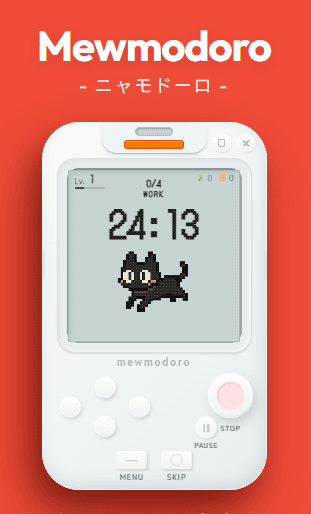
A free tool exclusively for Windows. Download from GitHub and start using it immediately.
Download